
 Ethan Cole

Begin with locating the crown, the small knob typically found on the side of the case. Gently pull it out to the first or second position, depending on the mechanism your instrument employs. This simple action enables adjustments to both time and date settings.
Next, if your timekeeper includes a quick-set feature for the date, rotate the crown in a particular direction, often clockwise, until the correct date is displayed. For models without this feature, it may be necessary to adjust the hour hand past midnight to reset the date.
After completing the desired adjustments, push the crown back in to its original position. Ensure that it is securely engaged, as this will restore normal function and protect the interior from dust and moisture.
Lastly, allow the mechanism to resume its movement. If your chronometer is automatic, a gentle shake may provide the necessary energy. For battery-operated variants, a simple check of the power source ensures seamless operation.
Reconfigure Your Timepiece
Locate the crown, typically situated on the right side of the device. Gently pull it out to the first or second notch, depending on the model. This action often allows you to adjust the time or date functions as needed.
If adjustments are required for the date, ensure that the hour hand is set to a time a few hours before the current setting. This prevents potential damage to the mechanism. Advance the hands past midnight to facilitate a seamless transition for the date change.
Calibrate Analog Model
For traditional analog models, turning the crown in one direction usually modifies the time, while the other adjusts the date. Ensure the hands pass fully through the time you desire, allowing for accurate setting. Push the crown back in to secure the adjustments.
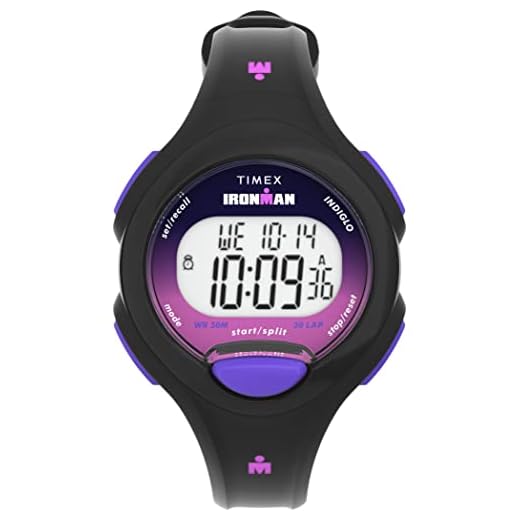
Adjust Digital Model
For digital counterparts, consult the instruction manual for specific button combinations. Generally, pressing and holding the setting button activates the adjustment mode. Cycle through the settings using adjacent buttons to modify time, date, and other features. Confirm changes by pressing the setting button again.
Identifying Your Watch Type for Proper Reset
Determine whether the timepiece is analog, digital, or smart to apply the correct method for adjustment.
For analog types:
- Check for a crown, usually located on the side.
- Be aware of additional features like chronographs or calendars, which may require specific settings.
For digital varieties:
- Look for buttons on the side or front; often labeled for functions.
- Read the user manual, as different models may use unique button combinations.
Smart devices require different procedures:
- Access the device through its app or connected smartphone.
- Look for reset options within the settings menu; synchronization might be necessary.
Understanding the specific category allows for precise adjustments and ensures optimal functionality.
Step-by-Step Guide to Reconfigure Digital Timepieces
Follow these precise steps for adjusting your electronic timepieces:
1. Locate the Reset Button
- Examine the case for a pinhole-sized button, often found on the back or side.
- If unavailable, consult the user manual for alternate methods.
2. Perform the Reconfiguration
- Insert a paperclip or a small tool into the reset button hole.
- Gently press and hold the button for a few seconds.
- Release the button, and the display should flash, indicating a successful operation.
3. Set the Time and Date
- Press the mode button until you reach the time-setting function.
- Adjust hours and minutes using the +/- buttons, depending on the model.
- Confirm the settings by pressing the mode button again.
- If applicable, proceed to set the date using the same method.
Ensure to check different functions, such as alarms and timers, as some models may require individual adjustments. For precise instructions, always refer to the specific manual associated with the timepiece.
Synchronizing Analog Timepieces with Quartz Mechanisms
Set the hands of the analog timepiece to the correct position by carefully moving the crown to the desired time. Stop at the exact minute, ensuring alignment with the quartz counterpart. This method ensures that both devices show the same time.
Utilizing a Reference Time Source
Use a reliable time source, such as an atomic clock or a smartphone displaying an accurate time. Align the second hand of the analog instrument with the exact second from the reference source. Make minor adjustments to the minute hand if necessary.
Maintaining Consistency
Regularly check synchronization each month or after battery replacements in quartz models. This will help in maintaining both timepieces in harmony over the long run.
Resetting Smartwatch Settings for Optimal Performance
To ensure smooth operation and maximize functionality of a smartwatch, performing a factory data wipe is often effective. Follow these precise steps based on the device’s operating system.
| Operating System | Procedure |
|---|---|
| Android Wear |
1. Open the settings on the device. 2. Scroll to “System” and select “Disconnect & reset.” 3. Confirm the action to erase all settings and data. |
| Apple Watch |
1. Launch the Watch application on the paired iPhone. 2. Select “General,” then “Reset.” 3. Choose “Erase Apple Watch Content and Settings.” |
| Fitbit |
1. Access the settings menu on the device. 2. Tap on “About” and then “Factory Reset.” 3. Confirm to revert all settings back to factory defaults. |
Post-wipe, reinstall apps and adjust configurations to personalized preferences. This enhances performance and regains lost speed. Regular maintenance is recommended to optimize operation and increase longevity.
Troubleshooting Common Issues When Resetting Watches
If unexpected problems arise while adjusting timepieces, examine the following potential concerns:
Stuck or Unresponsive Hands
If the hands do not move after making adjustments, check for blockage. Dirt or debris might be obstructing movement. Gently clean the surrounding area with a soft cloth. If issues persist, consult a professional for assistance.
Display Malfunctions in Digital Models
<pFor screens that fail to show time or information, restart the device by removing the battery or using the reset button, if available. If the display remains inactive, look into replacing the battery or software updates as required.
Ensure that the correct time zone and settings are applied, as misconfiguration can lead to significant timing errors. Double-check all parameters to guarantee accuracy.
Preventive Measures to Avoid Future Reset Needs
Regular maintenance of timepieces can significantly reduce the need for adjustments. Ensure to clean and service the mechanism annually to avoid dirt buildup and potential malfunctions.
Store timekeeping devices in a temperature-controlled environment. Extreme temperatures can affect battery life and mechanical functions, leading to inaccurate time display.
Water resistance is crucial for longevity. If a model is water-resistant, replace the seals periodically to maintain protection against moisture.
Battery Care
For quartz-based models, replace the battery every two to three years, even if it appears functional. This prevents leakage and associated damage.
Handling Precautions
Minimize exposure to strong magnetic fields, which can disrupt the timing mechanism. Remove timepieces before undergoing MRI scans or staying close to powerful electronics.
Be cautious when setting the time. Avoid adjusting settings while the second hand is moving to minimize wear on the gears. Set the time appropriately during non-peak hours to reduce the chances of mechanical strain.
Keep track of the service history to ensure nothing is overlooked and to maintain optimal performance. This historical data can include battery changes, mechanical servicing, and other important records.



