Ethan Cole

Align the timepiece with a reliable radio signal by positioning it in an open area, preferably near a window, to enhance reception. Ensure that the clock is free from interference caused by electronic devices such as routers or microwaves that may disrupt the signal.
Engage the time synchronization feature, typically by pressing a designated button, which prompts the device to seek the atomic time source. Allow a few moments for the clock to receive the accurate time data; this process might take up to several minutes depending on the conditions.
Once synchronization is complete, verify the accuracy of the displayed time. If any adjustments are necessary, utilize the manual settings, usually accessible via the same button used for synchronization, to make minute corrections as needed.
Adjusting a Radio-controlled Timepiece
Synchronize the timepiece with the atomic signal for unparalleled accuracy. Ensure the device is within range of the nearest radio transmitter, commonly located in large urban areas. Most models will initiate this adjustment automatically during the night; however, a manual request can be initiated if needed.
Manual Synchronization Steps
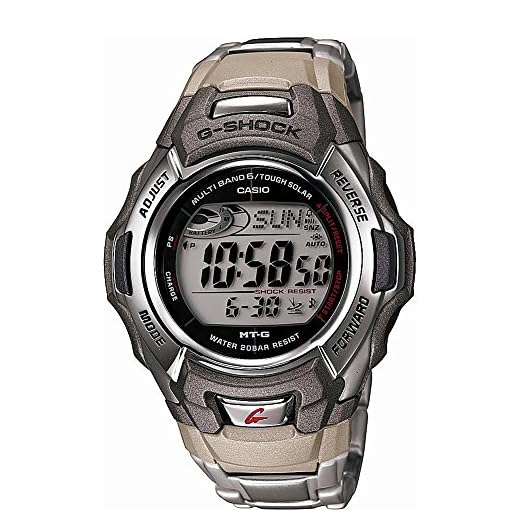
Access the mode function by pressing the designated button until you see the synchronization icon displayed. Depending on the model, either hold the button for a few seconds or press it multiple times to initiate signal reception. Monitor the watch’s digital display; if successful, a notification will confirm the time has been updated.
Time Zone Settings
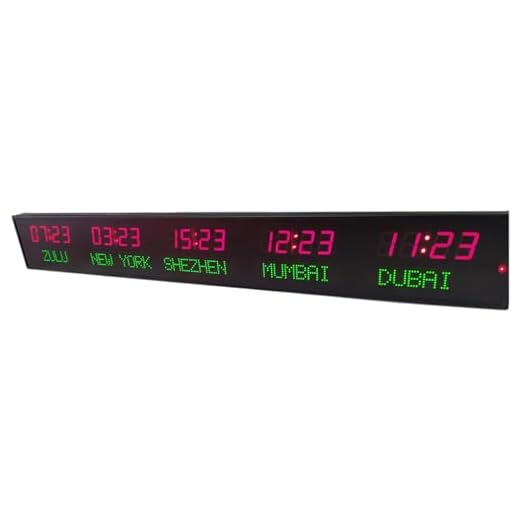
Immediately after synchronization, confirm that the correct time zone is selected. Navigate to settings and choose your local zone from the menu. This ensures the displayed time remains consistent with local regulations regarding daylight saving adjustments.
In case the watch fails to synchronize over several attempts, consider checking its signal reception capability. Obstructions such as tall buildings or electronic interference may hinder performance. Adjust your location for optimal signal access if necessary.
Understanding Atomic Timekeeping Technology
The principle behind accurate time measurement relies on the vibrations of atoms, specifically cesium or rubidium atoms. These atoms oscillate at a constant frequency, allowing precise calculation of time based on these oscillations. A standard cesium clock defines one second as 9,192,631,770 cycles of radiation emitted by the transition between two hyperfine energy levels of the cesium-133 atom.
Synchronization Sources
Timepieces utilizing this technology often synchronize with time signals transmitted from atomic clocks around the world. The most well-known sources include the National Institute of Standards and Technology (NIST) in the USA and the International Bureau of Weights and Measures (BIPM) globally. Signals are usually sent via radio frequencies or satellite systems like GPS, ensuring your device remains accurate to within one second over millions of years.
Benefits and Accuracy
Devices employing such timekeeping methods offer exceptional precision, reducing the risk of drift commonly seen in traditional mechanical models. This high degree of accuracy makes them ideal for applications requiring exact timing, such as scientific research, telecommunications, and navigation systems. Regular updates allow even small discrepancies in time to be corrected automatically, maintaining reliability without user intervention.
In conclusion, understanding this sophisticated technology can enhance your experience and appreciation for the precision offered by modern timepieces, keeping you synchronized with the world’s ultimate standard of time.
Choosing the Right Time Zone for Your Location
Select the appropriate time zone based on your geographical location to ensure optimal synchronization with atomic time signals. This is critical for accuracy in timekeeping.
Consult local resources or online databases to determine the correct offset from Coordinated Universal Time (UTC). Refer to the following table for common time zones and their UTC offsets:
| Time Zone | UTC Offset |
|---|---|
| Pacific Standard Time | UTC-8 |
| Mountain Standard Time | UTC-7 |
| Central Standard Time | UTC-6 |
| Eastern Standard Time | UTC-5 |
| Atlantic Standard Time | UTC-4 |
| Greenwich Mean Time | UTC+0 |
| Central European Time | UTC+1 |
| Eastern European Time | UTC+2 |
Account for Daylight Saving Time adjustments if applicable in your region. This may shift the offset by one hour, affecting time accuracy.
Lastly, verify your device’s settings periodically to maintain correct time and date as time zone changes might be necessary due to relocation or seasonal transitions.
Synchronizing Your Watch with Atomic Signals
Position your device in an open area where it has a clear line of sight to the sky. Signals often originate from ground-based stations, so minimize obstructions such as buildings or large trees.
Ensure the correct time zone is set on your timepiece. Memory of local time is essential for accurate synchronization with atomic signals. Refer to the user manual for adjusting your chosen time zone.
Wait until the synchronization process begins automatically. Most modern devices check for atomic signals at regular intervals, usually starting shortly after you set them up or when their batteries are replaced.
If manual synchronization is possible, activate the function as described in the instruction guide. It may take a few minutes for your timepiece to receive the signal. A successful sync is often indicated by a visual cue, such as a flashing light or changing display.
In case of failure, ensure that your watch’s antenna is functioning properly and try again in different locations. Reception may be superior during specific times of day due to atmospheric conditions.
Regularly verify the accuracy of the time displayed. If discrepancies occur, consider reinitializing the sync process or consulting the manufacturer’s support for troubleshooting advice.
Troubleshooting Common Synchronization Issues
For effective signal reception, ensure the device is positioned away from metal objects or electronic devices that may interfere with the signal. This can significantly improve the likelihood of synchronization.
Signal Obstruction
Check the environment. Buildings, mountains, and dense foliage can block signals. Try moving to an open area where there are fewer obstacles, as this can enhance reception.
Battery Status
A weak battery can hinder the functioning of the device, leading to synchronization errors. Replace the battery if you notice delays in timekeeping or signal acknowledgment.
Verify that the device is tuned to the correct frequency for your region. Each geographic area has specific transmission frequencies that must be matched for accurate time updates.
If problems persist, perform a reset according to the manufacturer’s instructions. This can clear any glitches that might affect performance.
Contact customer support for tailored assistance if basic troubleshooting does not resolve the issues. They can provide specific recommendations based on your model and location.
Adjusting Settings for Daylight Saving Time
To modify your timepiece for Daylight Saving Time, first identify whether your model supports automatic adjustments based on local regulations. If it does, ensure the feature is activated in the settings menu.
If manual adjustment is necessary, follow these steps:
- Locate the time adjustment function. This is typically accessed via a crown or button on the side of the device.
- Consult the user manual for the correct sequencing to change the hour. Most models require pulling out the crown to a specific position or holding a button.
- Advance the time by one hour in spring or revert by one hour in autumn, depending on the transition.
- After adjusting, confirm the time is accurate and synchronized with a reliable source.
Regularly check for updates on Daylight Saving Time changes, as not all regions follow the same schedule. Be prepared to make the adjustments whenever necessary to maintain accurate timekeeping.
For some advanced models, you might also find an option to disable this feature entirely if you prefer manual operation. Ensure to confirm your preference after each adjustment cycle.
Maintaining Accuracy and Battery Life of Your Timepiece
To ensure precision and extend the lifespan of the power source, perform regular maintenance. Keep your device clean and free of debris, as dirt can interfere with functionality. Use a soft cloth for external cleaning and avoid harsh chemicals.
Monitor the battery level routinely. Most timepieces indicate low power through a specific warning. Replace the battery as soon as you notice signs of reduced performance to prevent damage to the internal mechanisms.
Environmental Factors
- Store away from strong magnetic fields which can disrupt timekeeping.
- Avoid extreme temperatures, both hot and cold, that affect battery efficiency.
Battery Type and Quality
- Utilize high-quality batteries recommended by the manufacturer to enhance performance.
- Consider replacing the battery every 1-2 years, regardless of performance indicators, to maintain optimal function.
Ensure firmware remains updated if applicable, as manufacturers may release improvements or fixes that enhance both accuracy and power efficiency.
In case your device falls behind in accuracy, recalibrate it at regular intervals to restore precision in timekeeping.