
 Ethan Cole
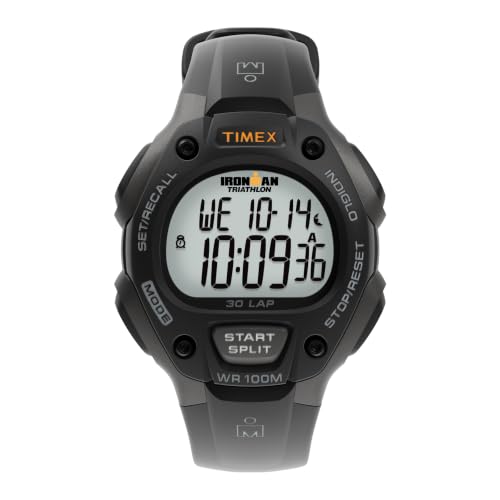
To silence notifications on your electronic timepiece, locate the settings menu, usually accessed by pressing a specific button or combination of buttons. Once in the settings, navigate to the alerts section, where you will find options to manage sound notifications.
Ensure that you identify the correct alarm feature you wish to deactivate, as many models offer multiple alert settings. After selecting the appropriate option, use the adjustment buttons to deactivate the notification. Confirm your selection to exit this menu, and check that the indicator light or sound alert signifies that the setting has been successfully modified.
If you encounter any difficulties, refer to the user manual specific to your model. Many manufacturers provide detailed instructions tailored to their devices, which can assist in troubleshooting common issues when managing alert settings.
How to Deactivate Reminder on a Timepiece
Locate the mode button on your timepiece. Press it until the display shifts to the settings menu. Use the adjustment buttons to navigate to the notifications section.
Once in the notifications section, identify the specific alert that requires disabling. Select it and press the confirm button. The display should indicate that the notification is now inactive.


Using the Combination of Buttons
For models with multiple functions, simultaneously press and hold both the mode and adjustment buttons. After a few seconds, the notification symbol will blink. Release the buttons to finalize your selection.
Different Models
Keep in mind that different brands may have unique methods. Consult the instruction manual specific to your model if the steps above do not correlate with your device’s functions.
Identifying Your Digital Wrist Watch Model
Locate the model number on the back of your timepiece. Most manufacturers engrave this detail beneath the casing, often accompanied by the brand name.
If the number is not visible, consult the user manual specific to your timepiece. Manuals often include model identification or provide links to the manufacturer’s website.
Utilize online databases by entering characteristics of your device, such as shape, button layout, and display type, to assist in pinpointing the exact model.
Check packaging or receipts, as these may contain essential information about the model. Retailers sometimes have records linked to your purchase.
If the watch connects to a companion app on a smartphone, access the settings within the app. This often reveals the precise model associated with your device.
For further assistance, contact customer support for your brand. They can guide you through the identification process and help resolve queries related to your specific timepiece.
Locating the Alarm Button or Settings Menu
First, examine the side or bottom of the device for a dedicated button, often labeled with a symbol representing sound or a bell. This is typically the quickest way to access the settings related to sound notifications.
Using the Multi-Function Button
Many timepieces feature a multi-function button that serves various purposes. Pressing this button consecutively may cycle through modes until reaching the notification settings. Observe the display for changes indicating the selection of the sound settings.
Accessing the Menu Interface
If the timepiece has a screen interface, find a menu or settings icon, which usually resembles a gear or wrench. Navigate through the options using either touch gestures or pressing adjacent buttons, confirming your selection as needed. Look for options labeled with terms related to alerts or notifications to manage the settings effectively.
Disabling the Alarm Through Button Combinations
Press the “Mode” button multiple times to cycle through different functions until the alarm section appears. Once you access the appropriate setting, hold down the “Adjust” key until the alert time is visible on the display.
To deactivate, locate the specific button designated for this function; typically, it’s labeled “Stop” or similar. Press and hold this button for a few seconds until the indication disappears.
Some models may require you to press both the “Mode” and “Adjust” buttons simultaneously to confirm the changes. Consult your device’s manual for precise combinations applicable to your model.
If the watch has a touchscreen interface, swipe towards the alarm setting and tap on the option to disable it. Follow any prompts appearing on the screen for confirmation.
Occasionally, restarting the unit by holding down the power button for a brief period can also reset all settings, including the audible reminder feature. This method can serve as a last resort if other methods fail.
Lastly, ensure that the battery is functioning properly; low power can sometimes affect the alarm settings, causing unexpected issues. Checking the battery can prevent unnecessary complications in the future.
Using the Watch’s Touchscreen (If Applicable)
Access the touchscreen interface. Tap on the screen to wake it up if it is in sleep mode. Locate the settings menu, typically represented by a gear or similar icon. Navigate to the section dedicated to time management or notifications. Identify the option corresponding to reminders or alerts.
Once in the appropriate menu, look for a visual representation of the reminder. Tap on it to view detailed options. There should be a toggle or an option to deactivate the notification. Confirm any prompts that appear to ensure your selection is saved.
If your timepiece supports customizable settings, consider returning to the main menu after adjustments to check if the notification has been successfully modified. For a better user experience, explore other functionalities available on the screen, which can enhance the use of your gadget.
Resetting the Watch to Default Settings if Necessary
If previous steps haven’t resolved the issue, restoring your timepiece to factory settings may be required.
Steps to Reset:
- Locate the settings menu, usually accessed via the main button or a combination of buttons.
- Scroll through options until you find “Reset” or “Factory Reset.”
- Select this option, typically by pressing the enter or confirm button.
- Confirm the action when prompted. A message may appear indicating that all settings will revert to default.
- Wait for the watch to complete the reset process; the device may restart automatically.
Post-Reset Check:
After resetting, review the functionality of your timepiece. Ensure that settings, including notification features and timezone adjustments, align with your preferences. Reconfigure as necessary based on personal usage and needs.



