
 Ethan Cole

For accurate heart rate tracking, positioning the device on the inside of the forearm just above the wrist bone is recommended. This spot ensures better sensor contact with the skin, which can lead to improved readings. Make sure to place it snugly, but not too tight, to allow for proper blood flow.
Ensure the strap is free of obstructions, such as clothing or sweat, which could interfere with the device’s sensors. It is advisable to periodically adjust the device throughout the day to maintain optimal positioning, especially during physical activities.
Before starting any workout, verify that the device is correctly aligned and functioning properly. Periodic calibration or troubleshooting through the accompanying app can enhance accuracy, particularly after prolonged use. Regular checks can ensure that both the heart rate monitoring and other features are operating at peak performance.
Once adjusted, focus on consistency in placement, as this can help build a reliable data set for heart rate tracking over time. Remember, different activities might require slight adjustments in the positioning for the best results.

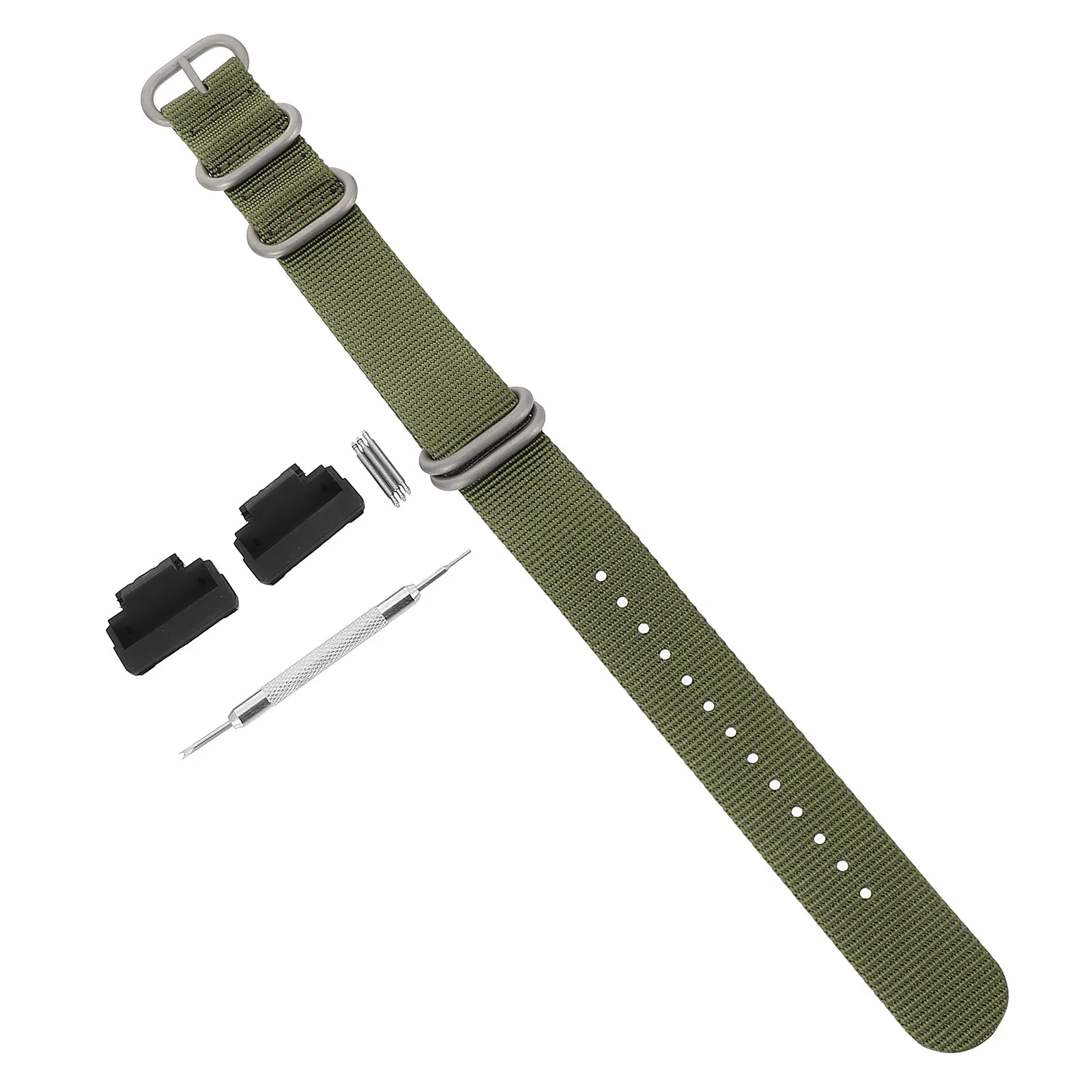
Appropriate Positioning of Heart Rate Monitor Device on Forearm
Ensure the heart rate sensor is placed approximately two finger widths above the wrist bone for optimal accuracy. This location allows for proper skin contact, crucial for reliable readings.
Adjust the strap to fit snugly yet comfortably without restricting blood flow. A loose fit may lead to inconclusive data, while excessive tightness can cause discomfort and skin irritation.
For those with varying wrist sizes, consider using different strap sizes or materials for a better fit. Silicone bands are often recommended for their sweat resistance and comfort during physical activity.
For accurate heart rate monitoring, avoid placing the device over clothing. Skin contact is essential for sensors to function correctly. If wearing a long sleeve or jacket, pull the fabric back to expose the skin beneath the monitor.
Keep the device clean and devoid of sweat or residue to maintain sensor efficacy. Regularly wipe the sensor area with a soft cloth to prevent build-up and ensure reliable performance.
Choosing the Right Strap for Comfort
Select a strap material that suits your skin type and activity level. Silicone or rubber options are often the best choices for intense workouts due to their breathability and flexibility.
- Silicone: Lightweight, water-resistant, and easy to clean. Ideal for running and swimming.
- Leather: Offers a classic look but may not be suitable for heavy sweating. Best for casual outings.
- Fabric: Comfortable and soft against the skin, great for daily wear but may absorb moisture over time.
- Metal: Durable and stylish, yet can be heavier and less flexible. Opt for this if you prioritize aesthetics.
Ensure the strap fits snugly but not too tight. A good rule of thumb is that you should be able to slide a finger underneath. Too much pressure can cause discomfort or irritation.
Consider adjustable designs, as they allow for flexibility in tension according to your activity. Look for quick-release features for easy strap changes and maintenance.
Test the strap during various activities to identify any discomfort points. Adjustments may be necessary to achieve optimal comfort.
For those prone to skin sensitivities, hypoallergenic materials might be beneficial. Always check for proper care instructions to extend the life of the strap.
Positioning the Watch for Accurate Heart Rate Monitoring
Place the device one to two finger widths above the natural crease of your arm. This positioning allows the sensors to maintain optimal contact with the skin, which enhances the precision of heart rate readings.
Avoid loose fit; the strap should be snug but comfortable. A tight fit can interfere with circulation and lead to erroneous data, while too loose an arrangement may cause the gadget to shift during movement.
Ensure the optical sensors are aligned properly. A misalignment can result in inaccurate readings. Checking the watch’s positioning frequently during workouts or activities helps maintain reliable performance.
Monitor the watch’s placement after adjusting your arm position, especially during vigorous activities. The movement can cause the device to slide, affecting sensor contact.
Keep the skin underneath clean and dry. Sweat or lotion can hinder sensor accuracy. Regularly cleaning the area where the device sits promotes better function and comfort.
Adjusting the Fit for Optimal Sensor Performance
To ensure precise heart rate readings, achieve a snug yet comfortable fit around the arm. A loose band may result in erratic data, while excessive tightness can cause discomfort and impede circulation.
Follow these guidelines for optimal adjustment:
- Place the device approximately one finger width above the wrist bone.
- Adjust the strap so that it fits securely without moving easily.
- Check for proper alignment by ensuring the sensor is in contact with the skin, particularly the underside of the device.
For varied activities, consider making slight adjustments. During vigorous exercises, tighten the band slightly to maintain sensor accuracy.
After physical activity, assess the pressure marks on the skin. If evident, loosen the strap to enhance comfort during everyday use.
Regular cleaning of the sensor area will also help improve measurement reliability. Use a soft cloth to remove any sweat residue or dirt that may hinder performance.
By implementing these adjustments, users can maximize the functionality of the device, leading to more accurate heart rate monitoring during workouts and daily activities.
Cleanliness and Maintenance for Consistent Readings
Regular cleaning guarantees reliable heart rate monitoring. Wipe the sensor area using a damp cloth to remove sweat, dirt, and skin oils after workouts. This prevents buildup that can hinder performance.
Check for debris within the strap’s grooves and the back surface of the device. A soft brush can help in reaching tight spots. Make it routine to remove the strap periodically for thorough cleaning.
Allow the band to dry completely before re-attaching it. Humidity can affect the accuracy of your heart rate sensor. For persistent odors, consider soaking the strap in a mixture of mild soap and water.
Replace the strap if it shows signs of wear or damage. Frayed straps increase the risk of falling off and can compromise sensor contact. Keeping the device in a protective case during non-exercise periods helps maintain its condition.
Store the device in a cool and dry environment. Extreme temperatures and humidity can negatively affect the internal components. Ensure to charge the battery regularly, as low battery levels can impact sensor functionality.
Sync Your Watch for Real-Time Heart Rate Data
Activate Bluetooth on your smartphone and ensure the app is installed. Select the option to pair the device. Once the connection is established, navigate to the heart rate settings within the app to enable real-time data sync.
Ensure that the firmware of the device is updated regularly by checking for updates in the app settings. This will enhance compatibility and accuracy in heart rate monitoring.
Run a test by initiating an activity that includes heart rate measurement. This gives reassurance that the connection is functioning correctly. Monitor the heart rate readings during the activity and verify they align with expected results.
| Step | Action |
|---|---|
| 1 | Activate Bluetooth on the smartphone. |
| 2 | Pair the device through the app. |
| 3 | Check heart rate settings in the app. |
| 4 | Update firmware in app settings. |
| 5 | Conduct an activity test to check accuracy. |
Regularly sync for reliable heart rate insights. Adjust settings for notifications to receive updates and alerts on heart rate zones during workouts. This fosters a better understanding of exercise intensity and effort levels.



