
 Ethan Cole

Adjust the fit of your wearable device to alleviate any strain. A snug but comfortable placement should prevent excessive pressure on your skin. Consider switching the position of the gadget to distribute its weight evenly across your arm and alleviate localized tension.
Monitor the duration of usage. Long periods without breaks can lead to strain, especially if the accessory continuously pushes against your arm. Aim for regular intervals where you can remove the device to relieve any discomfort.

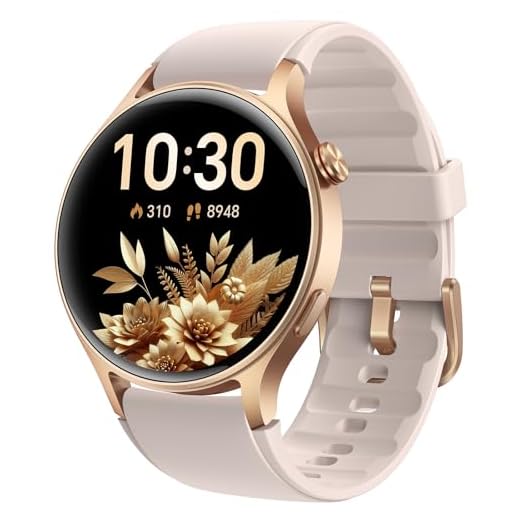

Evaluate the materials used in the construction of the device. Some individuals may experience sensitivity or an allergic reaction to certain bands or sensors. Opt for hypoallergenic materials or explore alternative bands to ensure comfort during extended wear.
Examine your activities throughout the day. Repetitive movements or overexertion can contribute to feelings of discomfort. Ensure your daily routine includes stretching and rest to minimize strain on the affected area.
Causes of Discomfort from a Wearable Device
Adjust the position of the device to alleviate pressure points. Ensure a snug fit without being overly tight. A device that is too loose may shift during movement, creating friction.
Material Sensitivity
Some individuals might experience sensitivity to the materials used in the band or casing. Switching to hypoallergenic options can provide relief. Consider alternatives made from silicone, fabric, or metal that cater to sensitive skin.
Prolonged Use and Posture
Extended periods of use without breaks can lead to muscle fatigue. Incorporate intervals into your routine where the device is removed. Additionally, assess your posture when using a wearable. Poor alignment can contribute to muscle strain.
| Recommendation | Details |
|---|---|
| Adjust Fit | Ensure the device is snug but comfortable. |
| Material Selection | Opt for hypoallergenic materials if sensitivity occurs. |
| Take Breaks | Remove the device periodically to avoid muscle fatigue. |
| Posture Check | Maintain proper alignment while using the wearable. |
Identifying the Causes of Discomfort from Smart Device Usage
Examine the position and fit of the gadget. An overly tight strap can restrict blood flow, leading to irritation. Ensure the band is snug but allows for a finger to fit comfortably underneath.
Evaluate the material of the strap. Allergies to metals or other materials can predispose the skin to rashes or discomfort. Consider switching to hypoallergenic options like silicone or fabric.
Monitor for prolonged use. Continuous contact without breaks can lead to strain. Aim for intermittent removal during the day to alleviate pressure.
Assess the weight of the device. Heavier units can place additional strain on the forearm, particularly during physical activities. Opt for lighter models, especially if engaging in long sessions of wearing.
Consider environmental factors. Humidity or sweat accumulation can aggravate skin friction, increasing discomfort. Keeping the area dry and clean may mitigate these effects.
Seek professional input if symptoms persist. A healthcare provider can identify underlying issues such as tendonitis or carpal tunnel syndrome that may not be related directly to device usage.
Finally, observe hand positioning during interactions with the gadget. Poor ergonomics can contribute to discomfort over time. Adjusting the way you interact with the device may reduce strain on surrounding areas.
Understanding the Impact of Smart Watch Fit and Design
Ensuring a proper fit is paramount. A snug yet comfortable adjustment can prevent discomfort and irritation. Aim for a band that is neither too tight nor too loose, allowing for natural movement without pinching the skin.
Consider materials as well; certain fabrics and metals can provoke allergic reactions or skin sensitivities. Opt for hypoallergenic materials, especially for prolonged use, to minimize adverse reactions.
Weight and bulkiness also play a role. Lighter models often create less strain. Evaluate the dimensions of the device to ensure it suits your lifestyle and physical build. A streamlined design can promote better ergonomics.
Placement on the arm is critical. Experiment with positioning to find a spot that feels most comfortable during activities, as pressure points can lead to discomfort over time.
Additionally, consider adjusting usage habits. Prolonged engagement with features like notifications and fitness tracking can lead to extended periods of wear, increasing the likelihood of strain. Allow breaks to relieve pressure on the skin and joints.
Be mindful of the design aesthetic. Bulky designs may visually appeal but can create functional shortcomings. A well-balanced design not only enhances usability but also contributes to comfort levels during wear.
Regularly inspect for signs of wear on both the device and the band. A compromised band may lead to shifting, increasing discomfort. Timely replacements ensure consistent comfort and functionality.
Skin Irritation and Allergies Related to Smart Watch Materials
Opt for smart gadgets constructed from hypoallergenic materials to minimize skin reactions. Common components that may provoke irritation include nickel, certain plastics, or rubber used in straps and casings. Individuals sensitive to these materials might experience rashes or discomfort.
Inspect the watch’s specifications before purchase. Brands often highlight materials to avoid. Silicone and stainless steel options are typically safer choices for those prone to allergies.
Regularly clean the device and skin underneath it to prevent accumulation of sweat, dirt, or bacteria, which can exacerbate irritation. Utilize mild soap and water to maintain hygiene effectively.
If irritation persists, consulting a dermatologist is advisable. They can recommend patch testing to identify specific allergies and provide suitable alternatives or treatment options.
Consider adjusting the fit of the device. A too-tight strap can cause friction, worsening skin responses even if materials aren’t inherently irritating. Ensure enough space for air circulation while keeping the device secure during activities.
Evaluating the Role of Activity Tracking on Wrist Discomfort
Optimize positioning and adjustment of the device on the arm to reduce strain. Combination of tracking features may lead to repetitive movements, causing fatigue. Regular intervals of rest and device removal can alleviate discomfort associated with extended use.
Incorporating alternative tracking methods, such as mobile applications, lessens the dependency on wearable technology, reducing direct pressure. Monitoring the frequency and intensity of activities logged may also identify correlations between excessive tracking and discomfort.
The design of the wearable, including size and weight, affects how pressure is distributed. Selecting a model with adjustable bands and materials that conform to the shape of the arm enhances comfort. Prioritize lightweight options without compromising functionality.
Frequent assessments of physical response such as swelling or redness enable timely adjustments. Daily monitoring of wear duration and intensity can help mitigate long-term complications associated with continuous tracking. Consistent feedback to manufacturers about discomfort can drive future improvements in design.
Solutions for Managing and Preventing Wrist Pain from Smart Watches
Adjust the band tightness. Ensuring a snug yet comfortable fit can significantly reduce discomfort due to excessive movement.
Try different materials. Opting for bands made from breathable fabrics or hypoallergenic materials can alleviate skin irritation and pressure points.
Limit wear time. Taking breaks during prolonged usage allows the skin to recover and may reduce irritation and strain.
Change positions frequently. Altering the placement of the device on the arm can distribute pressure differently and minimize localized discomfort.
Incorporate stretching exercises. Regular stretches for the hand and forearm can enhance flexibility and reduce tension in the surrounding muscles.
Monitor activity levels. Keeping a watchful eye on the intensity and duration of activities can prevent overuse injuries related to tracking functions.
Consult with a specialist. If pain persists, seeking advice from a healthcare provider or physical therapist can provide personalized strategies for relief.
Consider smaller screens. Devices with compact displays may contribute less to strain, making them a viable option for those experiencing discomfort.
Maintain good posture. Being mindful of arm and hand positioning during use can contribute to overall comfort and prevent strain.
FAQ:
What causes wrist pain when wearing a smartwatch?
Wrist pain from wearing a smartwatch can arise from several factors. One common reason is the watch’s fit; if the smartwatch is too tight, it may cause pressure on the wrist, leading to discomfort. Additionally, the materials used in the band can cause skin irritation or allergic reactions in some individuals. Another factor can be the position of the watch while using it; certain activities, like typing or lifting, might exacerbate the pain if the watch presses against the wrist bones or tendons. Overuse, repetitive motion, and pre-existing wrist conditions can also contribute to the issue.
How can I prevent wrist pain while using my smartwatch?
To prevent wrist pain, first ensure that your smartwatch is properly fitted. It should be snug but not too tight, allowing for movement without excessive pressure. Consider changing the watchband to one made of softer materials or hypoallergenic options if irritation occurs. Take regular breaks from wearing your smartwatch, especially during activities that require repetitive wrist movements. Alter your wrist position while using the device, and try to limit the duration of continuous use. If pain persists, consulting a healthcare professional may help identify any underlying conditions.
Is wrist pain from a smartwatch a common issue?
Yes, wrist pain from smartwatches is a common concern for many users. This discomfort can vary from mild irritation to more significant pain. Factors such as prolonged use, an improper fit, or the materials used can increase the likelihood of experiencing discomfort. While not everyone will encounter wrist pain, it is a noteworthy issue among smartwatch users, prompting some manufacturers to create adjustable and ergonomic designs to enhance comfort.
When should I see a doctor about wrist pain from my smartwatch?
If you experience persistent wrist pain that does not improve after adjusting the fit of your smartwatch, consider seeking medical advice. Symptoms that warrant a consultation include swelling, numbness, tingling, or pain that radiates beyond the wrist. It’s also advisable to see a doctor if the discomfort interferes with daily activities or worsens over time. A medical professional can evaluate your symptoms and recommend appropriate treatments or therapies.


